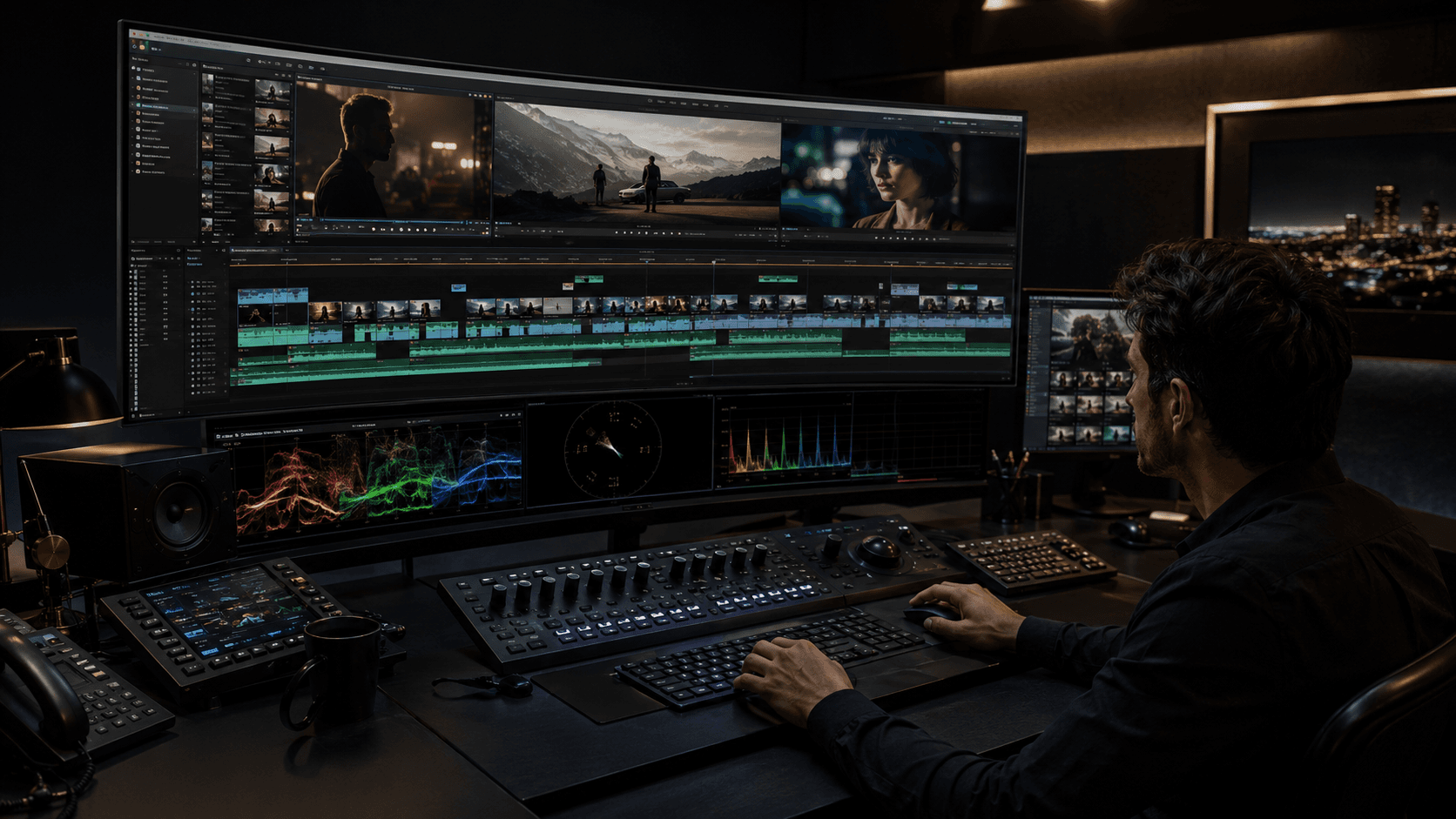
A cut is not merely the removal of unwanted footage. In professional video editing, every cut controls attention, time, information, emotion, rhythm, and narrative momentum. The frame you leave behind and the frame you arrive on tell the audience what matters next.
This guide covers essential types of cuts in video editing for feature films, television, documentaries, commercials, branded films, corporate video, broadcast, OTT, and social media. Whether you work in a US agency bay, a UK broadcast facility, or a European finishing house, the craft principles remain the same: clarity first, then feeling, then style.
What Is a Cut in Video Editing?
A cut is the instant where one shot ends and another begins. Shot duration changes meaning: a held close-up can feel intimate or uncomfortable; a rapid exchange can feel urgent or confusing. Movement within the frame, framing, sound, context, and timing all decide whether the join feels natural or deliberate.
Continuity editing aims for invisible joins so story logic stays clear. Match on action, eyeline matching, consistent screen direction, and the 180-degree rule help viewers understand geography and relationships. When those rules break, the cut itself becomes expressive—or accidental.
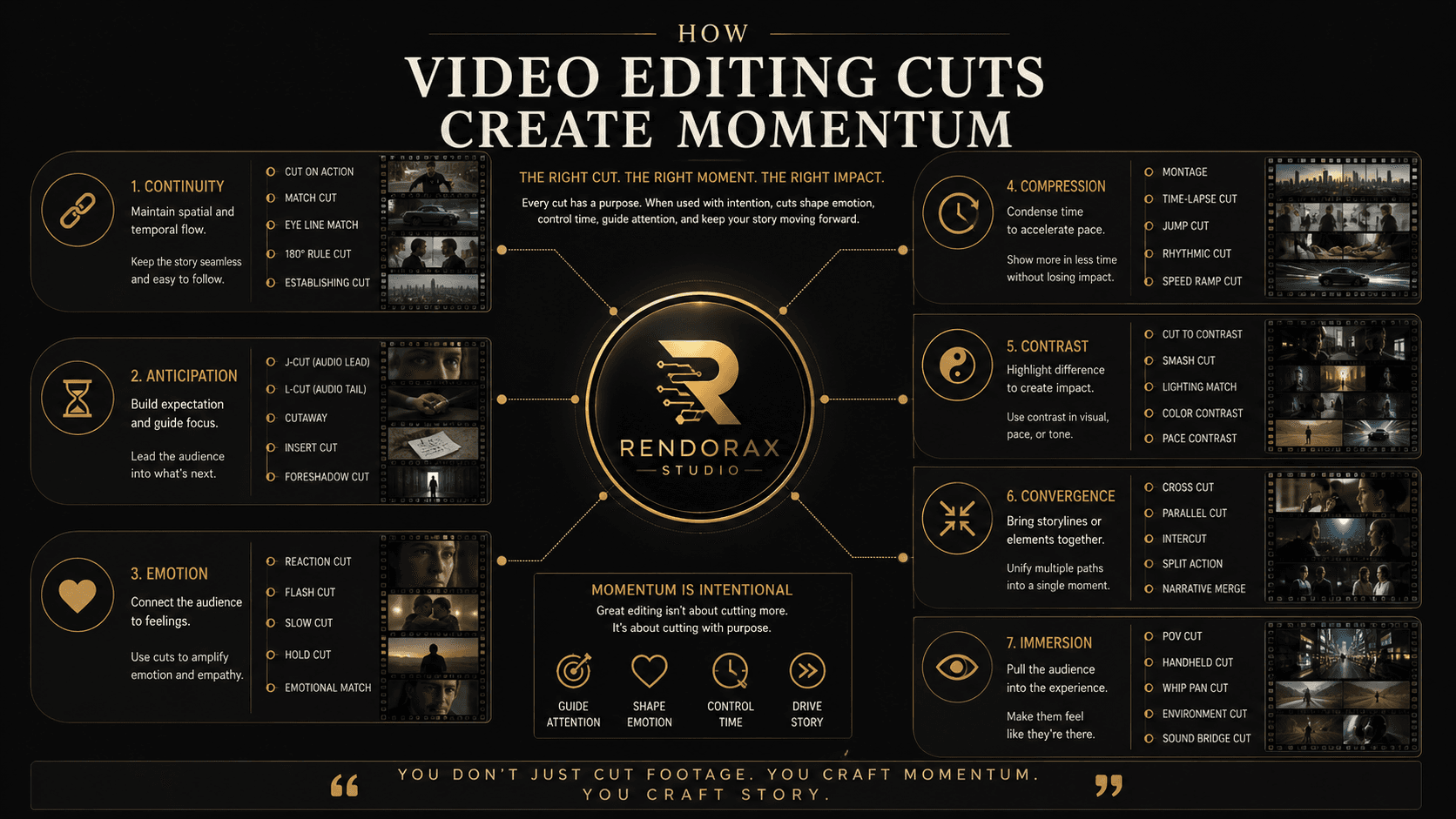
Cut, Transition, Rhythm, and Momentum
A cut is an instantaneous change of image. A transition (dissolve, wipe, morph) spreads that change over time. Editing rhythm is the pattern of shot lengths and accents. Narrative momentum is the sense that story pressure is advancing—even when the cutting is slow.
A fast sequence does not automatically have strong momentum.
Momentum can also be built through anticipation, performance, movement within the frame, sound, silence, and delayed revelation. More cuts can increase pressure—or simply create noise.
1. Standard Cut or Hard Cut
Momentum: Direct · Neutral · Efficient · Clear
The standard (hard) cut jumps from one image to the next without ornament. It is the default language of dialogue, interviews, documentaries, broadcast packages, tutorials, and most narrative scenes.
Example: In an interview, cut from a wide two-shot to a clean single as the guest delivers the key claim—no dissolve required.
2. Cut on Action or Match on Action
Momentum: Physical forward motion · Smooth continuity · Energy · Immediacy
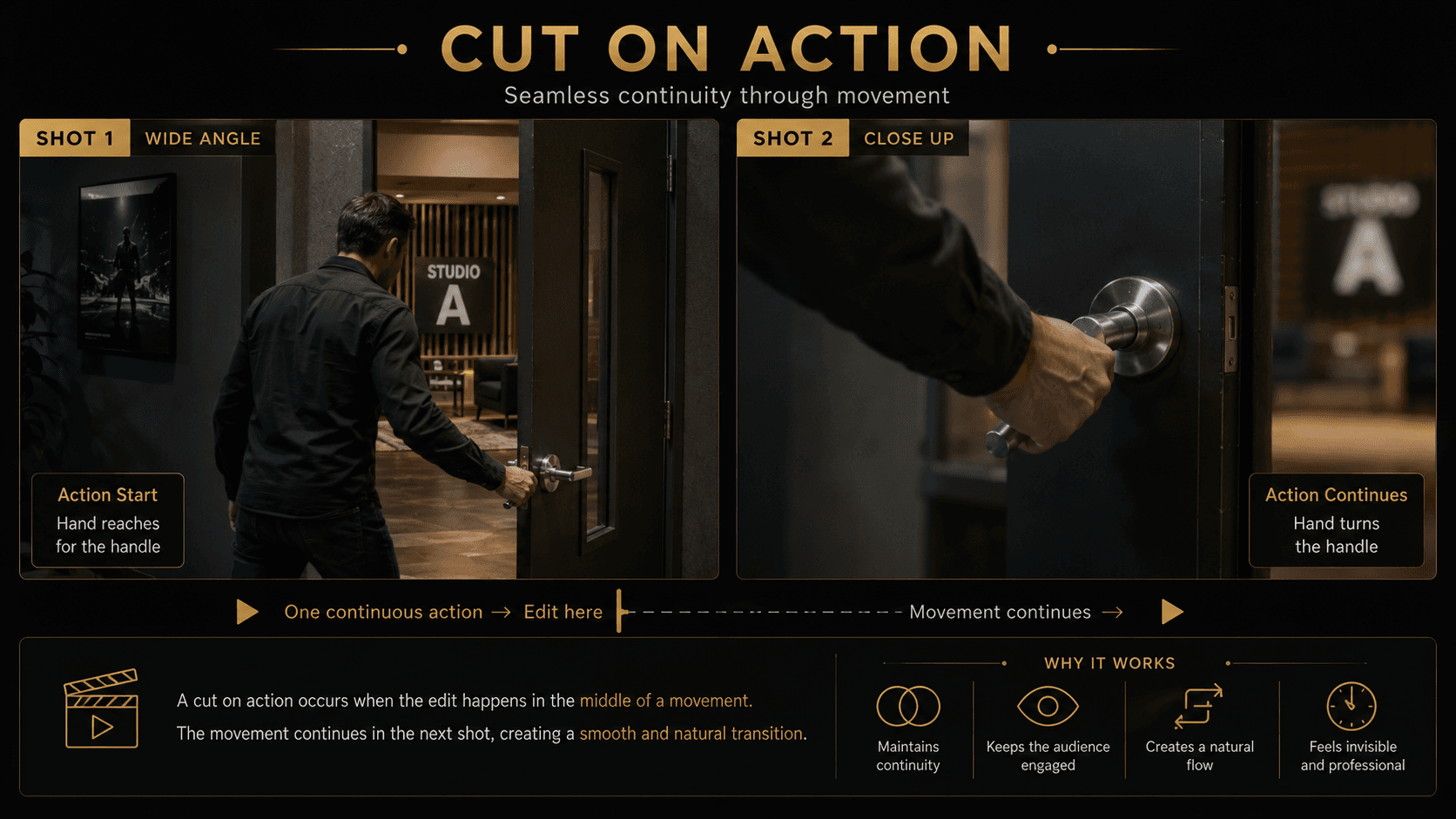
Cutting on action joins two angles during a continuous movement—a hand reaching for a door, a turn, a stand-up—so the motion carries across the edit. Match direction, timing, and action phase so the body does not “reset” mid-gesture.
Example: Wide: a producer reaches for a studio door handle. Close: the hand completes the turn and the door opens—same screen direction, same energy.
3. Jump Cut
Momentum: Compressed · Restless · Fragmented · Urgent
A jump cut removes time within a similar framing so the subject appears to “jump” forward. Used intentionally in social video, YouTube, vlogs, music videos, psychological drama, and comedy, it compresses duration and raises restlessness.
An accidental jump cut—from poor coverage or mismatched continuity—is a continuity error, not a style. Intentional jump cuts usually keep a clear performance through-line so meaning survives the fracture.
4. Match Cut
Momentum: Associative · Thematic · Elegant · Intellectual
A match cut links shots through graphic shape, movement, sound, or concept. Graphic matches align forms; match-on-action preserves motion; audio matches bridge sound; conceptual matches connect ideas. Adobe’s overview of match cuts in video editing is a useful primer for craft vocabulary.
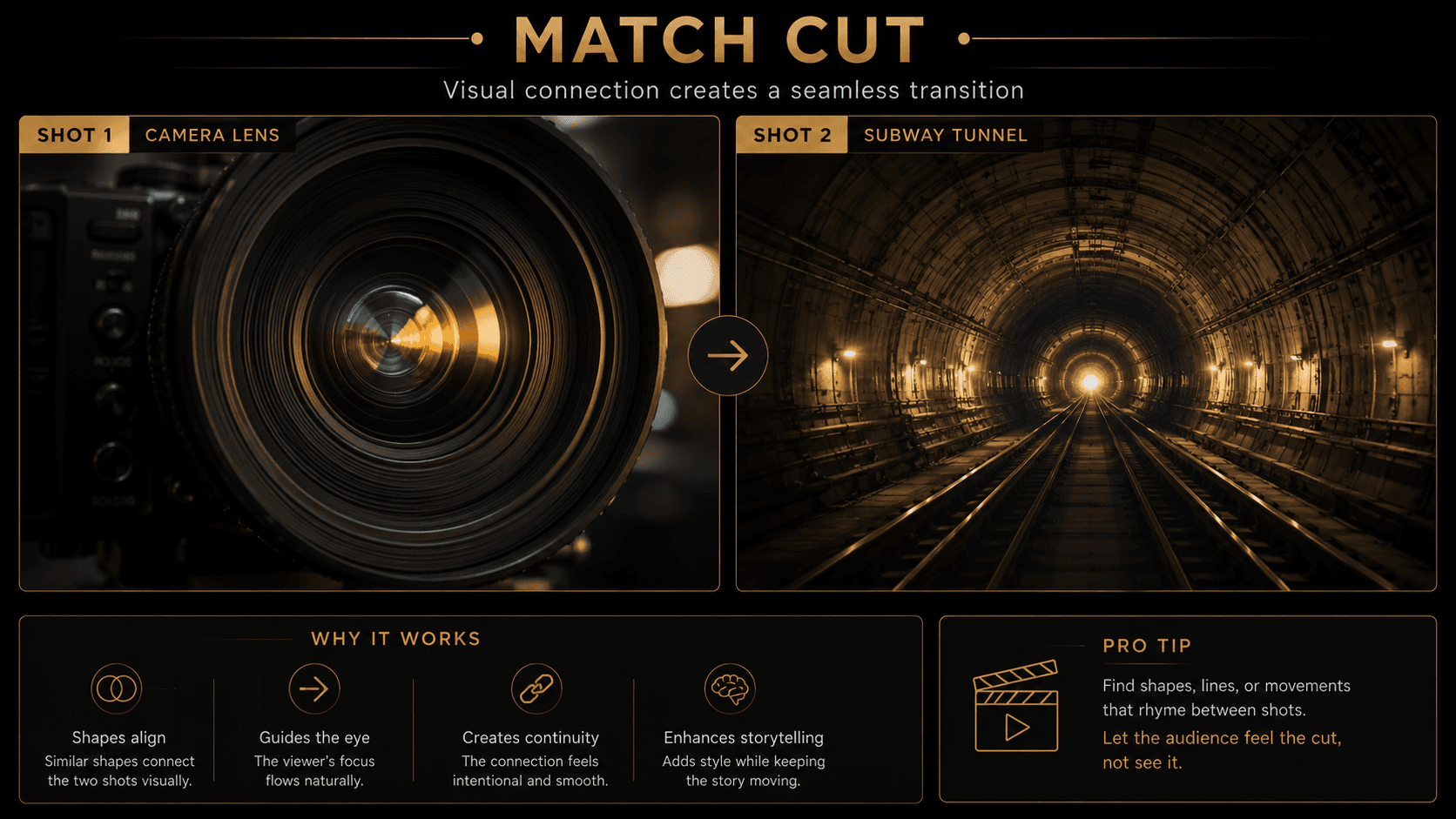
Example: A circular camera lens iris aligns with a tunnel mouth in the next scene—shape and centerline carry the thought across space.
5. Smash Cut
Momentum: Impact · Shock · Humor · Disruption · Sudden contrast
A smash cut collides contrasting images, emotions, or audio levels for shock, comedy, or rupture. Contrast can be visual (quiet room to stadium roar), emotional (tenderness to threat), or sonic (silence to impact). See also Adobe’s notes on smash cuts.
6. J-Cut
Momentum: Anticipation · Curiosity · Smooth forward pull
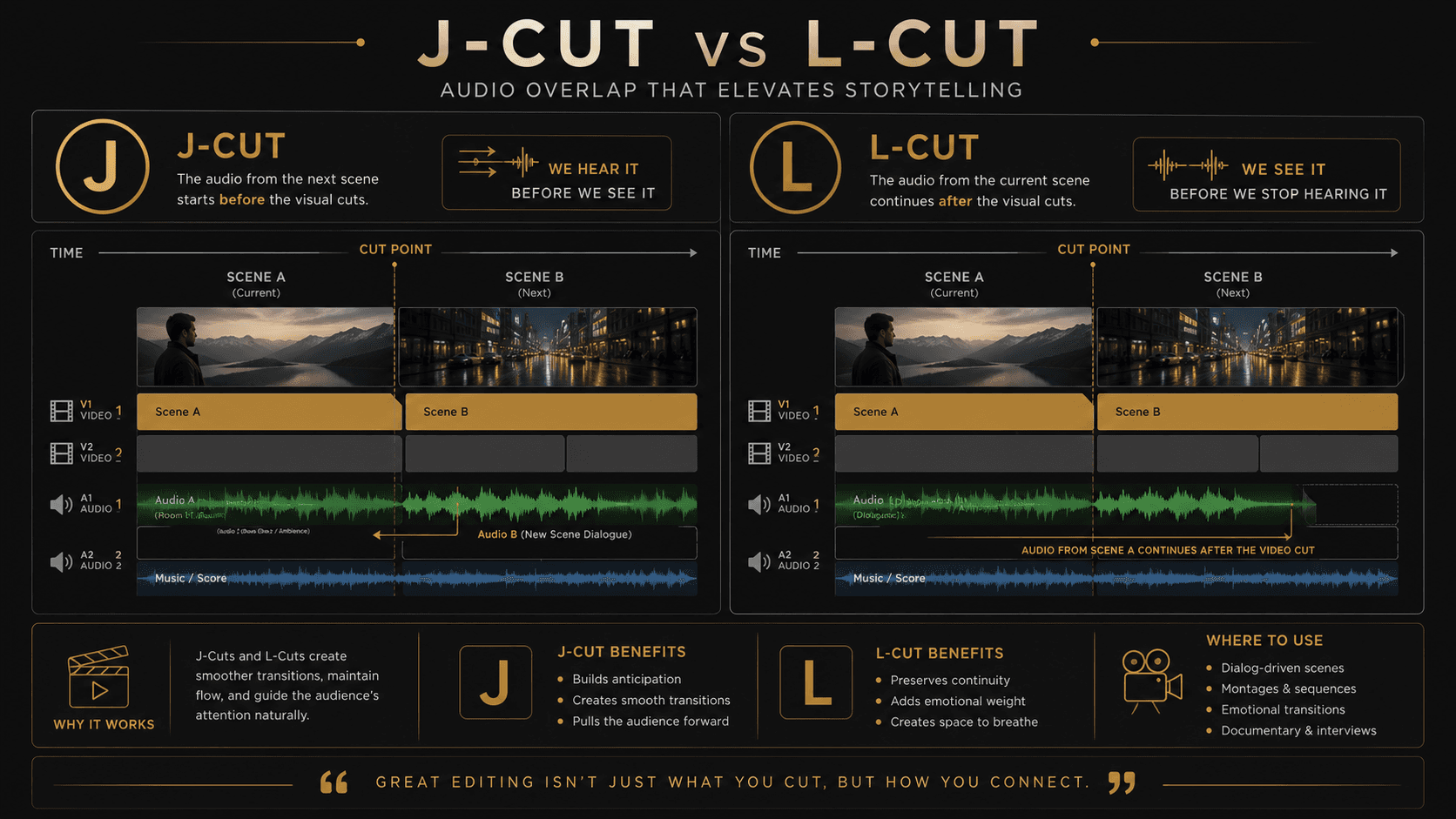
In a J-cut, audio from the next scene begins before its picture arrives. The ear leads; the eye follows. That early sound creates curiosity and pulls the story forward without a hard visual bump.
7. L-Cut
Momentum: Emotional continuity · Natural conversation · Reflection · Stronger reactions
In an L-cut, audio from the current scene continues after the picture changes. You stay with a reaction, a landscape, or a detail while the previous voice or room tone persists—ideal for interviews and emotionally charged dialogue.
8. Cutaway
Momentum: Informational · Contextual · Corrective
A cutaway leaves the primary action for related coverage—evidence, environment, process—then returns. Cutaways add context, hide edits, shorten interviews, and cover continuity issues. Irrelevant B-roll that does not inform the argument weakens trust.
9. Cut-In or Insert Cut
Momentum: Focus · Precision · Importance · Tension
A cut-in (insert) moves closer to a detail: product surface, letter, control panel, hands, screen, or tool. It declares importance and can tighten tension by withholding the wider reaction for a beat.
10. Reaction Cut
Momentum: Emotional interpretation · Empathy · Humor · Fear · Suspicion
A reaction cut prioritizes the listener’s face—or a crowd’s response— so the audience interprets meaning through emotion. Often the listener carries more story weight than the speaker.

11. Shot/Reverse-Shot
Momentum: Conversational · Relational · Conflict-based · Intimate
Shot/reverse-shot alternates complementary angles in conversation. Maintain eyeline consistency and screen direction so the axis stays readable. Holding on the listener, or cutting before or after a reply, changes power and intimacy.
12. Eyeline Match
Momentum: Curiosity · Question and answer · Reveal · Suspense
An eyeline match shows a character looking, then reveals what they see. Delaying the reveal raises tension; answering immediately satisfies curiosity. Timing the second shot is the craft.
13. Point-of-View Cut
Momentum: Subjective · Immersive · Vulnerable · Character-driven
A POV cut places the camera as the character’s sightline—more subjective than a general eyeline match. It immerses viewers and can make them feel vulnerable or complicit.
14. Cross-Cutting or Parallel Editing
Momentum: Converging · Suspenseful · Comparative · Countdown-driven
Cross-cutting intercuts simultaneous or thematically linked storylines. Each return should add information or raise pressure— otherwise the weave feels decorative.
15. Montage
Momentum: Cumulative · Transformational · Compressed · Progressive
Montage compresses transformation: failure to success, empty to complete, morning to night, small to large, problem to solution, individual to community. Structure the progression so each shot advances the change.
16. Invisible Cut or Hidden Cut
Momentum: Continuous · Immersive · Unbroken
Invisible cuts hide joins in darkness, foreground wipes, motion blur, whip pans, matching camera moves, or VFX stitches so the sequence feels like one take.
17. Axial Cut
Momentum: Intensifying · Distancing · Psychological
An axial cut jumps along roughly the same camera axis—from wide to close or close to wide—without a large lateral shift. It intensifies or distances psychologically while keeping orientation clear.
18. Form Cut or Conceptual Cut
Momentum: Idea-driven · Metaphorical · Intellectual · Thematic
A form or conceptual cut links shots by idea rather than literal continuity—metaphor over geography. Where continuity editing confirms space, conceptual cutting associates meanings.
Cutting to the Beat
Cutting on musical beats synchronizes picture accents with rhythm and can raise energy. Cutting on every beat, however, often feels mechanical. Prefer accents on phrase changes, downbeats that matter, or lyrical turns—not a metronome of identical joins.
Cutting Against the Beat
Cutting against the beat resists the grid: late joins, early interruptions, holds through accents. That resistance creates surprise, tension, and sophistication—especially when you break a montage pattern the audience has already learned.
Cutting on Dialogue
Dialogue edits can land before a line, mid-line, at the end, on a breath, on a pause, on the listener, or after silence. Each choice reallocates power. Cutting only when someone finishes talking creates predictable, flat conversation rhythm.
Cutting on Emotion
An emotional shift can motivate a cut even without major physical action: a smile becoming forced, confidence vanishing, a refusal to answer, a glance that reveals doubt. Performance is coverage.
How Cutting Speed Changes Viewer Experience
Fast Cutting
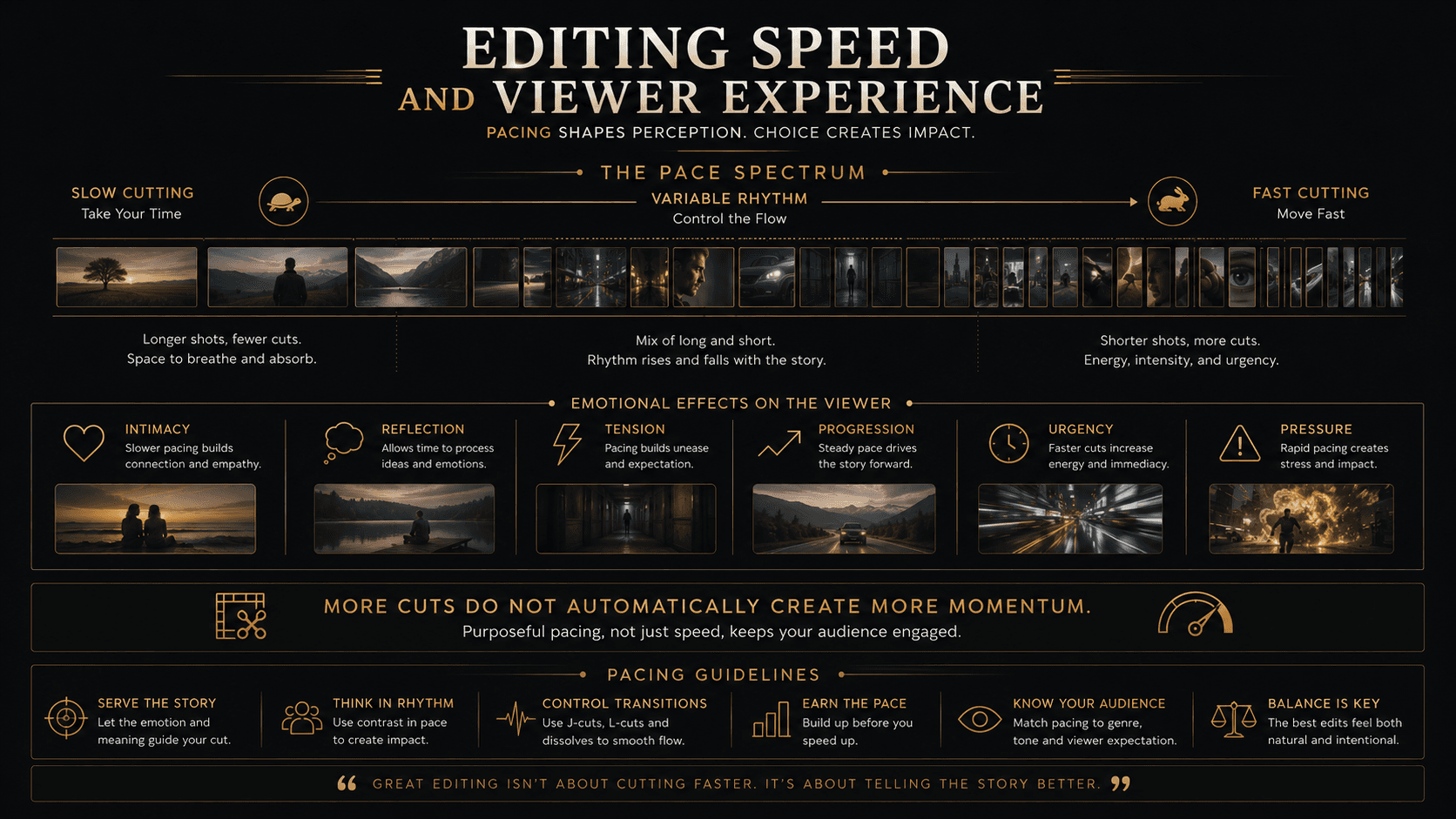
Fast cutting can create energy, urgency, pressure, information density, and sensory intensity. It can also reduce emotional connection and spatial clarity when geography never settles.
Slow Cutting
Slow cutting supports intimacy, realism, suspense, reflection, discomfort, and emotional weight. Slow does not mean weak momentum— held tension can advance story harder than rapid chatter.
Variable Cutting
Strong sequences often progress: slow setup, gradual acceleration, rapid climax, sudden pause, emotional reaction, resolution. Vary rhythm rather than locking one constant cutting speed. Historical and perceptual research on movie pace and time perception (for example work indexed on PubMed Central regarding pace in popular movies and studies of editing and spectators’ time perception) supports treating cutting rate as an expressive variable—not a single “correct” speed.
How to Choose the Right Cut
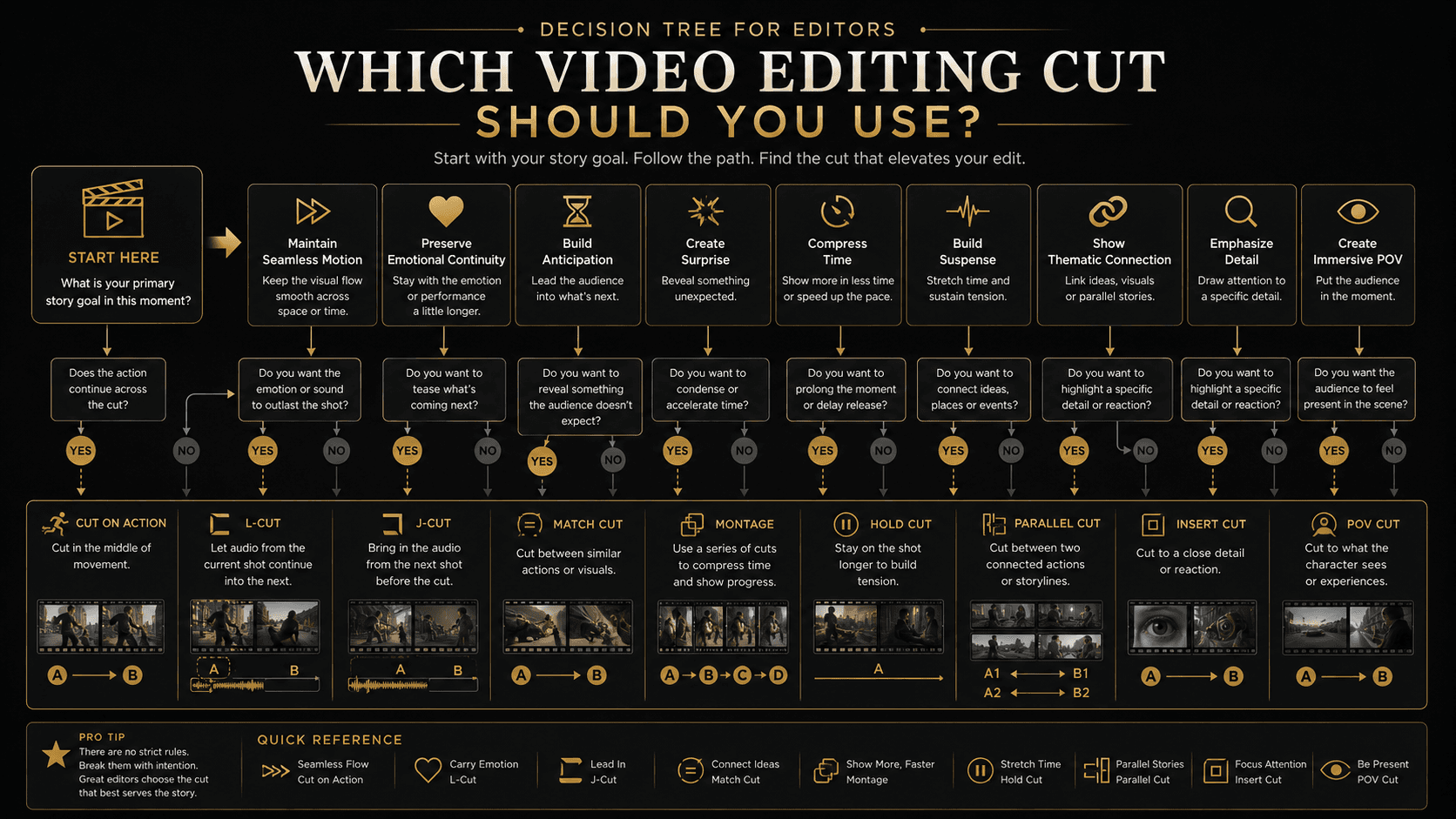
Ask what the audience needs to see, what they should feel, what they should expect next, whether the edit should be visible, what kind of momentum you need (physical, emotional, intellectual, suspenseful, or compressive), and how sound supports the join.
- Physical momentum → cut on action
- Emotional momentum → reaction cut or L-cut
- Intellectual momentum → match cut or conceptual cut
- Suspense → cross-cutting or delayed eyeline reveal
- Compression → montage or jump cut
- Anticipation → J-cut
Cut Decision Table
| Story objective | Recommended technique | Momentum created |
|---|---|---|
| Maintain natural continuity | Standard cut | Clear, neutral flow |
| Preserve movement | Cut on action | Physical forward motion |
| Compress time aggressively | Jump cut | Fast, fragmented energy |
| Connect ideas or images | Match cut | Associative momentum |
| Create surprise or contrast | Smash cut | Impact and disruption |
| Introduce the next scene early | J-cut | Anticipation |
| Continue emotion across images | L-cut | Emotional continuity |
| Add context or hide an edit | Cutaway | Informational movement |
| Emphasize a detail | Cut-in | Focus and importance |
| Reveal emotional consequence | Reaction cut | Empathy and interpretation |
| Build conversation | Shot/reverse-shot | Relational momentum |
| Create a question and answer | Eyeline match | Curiosity and reveal |
| Place viewers inside a character | POV cut | Subjective immersion |
| Build simultaneous tension | Cross-cutting | Converging momentum |
| Summarize transformation | Montage | Cumulative progression |
| Simulate one continuous take | Invisible cut | Unbroken experience |
| Intensify or distance | Axial cut | Psychological emphasis |
| Connect abstract ideas | Conceptual cut | Intellectual momentum |
Common Cutting Mistakes
- Cutting only because a speaker finishes talking
- Cutting too quickly for emotion to register
- Using random B-roll that does not inform the argument
- Ignoring screen direction and axis
- Accidental jump cuts from missing coverage
- Overusing transition effects as decoration
- Cutting every scene at the same speed
- Prioritizing style over clarity
Psychology of Effective Cuts
Effective cutting balances continuity and change, expectation and surprise, prediction and processing load. Continuity cuts confirm spatial expectations. Match cuts reward pattern recognition. J-cuts create expectations. Delayed reaction cuts withhold emotional information. Smash cuts break expectations. Montages reshape perceived time.
Peer-reviewed work on prediction error and continuity across scales (for example research on film editing and prediction error and Frontiers work on continuity edits across shot scales) is useful context—but it does not prescribe a single “correct” cutting rate for every story. Treat lab findings as constraints and inspiration, not as guarantees of engagement.
Use Across Video Formats
Feature Films and Scripted Television
Prioritize performance, character, spatial clarity, and emotional rhythm. Invisible continuity usually serves drama better than constant stylistic display.
Documentaries
Lean on interviews, L-cuts, J-cuts, cutaways, and archival material while protecting ethical clarity—never cut in a way that invents a claim the footage cannot support.
Commercials and Branded Films
Optimize for memorability and brand meaning: match cuts, montage, smash cuts, and product inserts that make the offer unmistakable.
Corporate Video
Clarity and credibility first: interview editing, relevant B-roll, process montages, and product or service details that executives can approve without confusion.
Social Media and Short-Form Content
Win the opening seconds. Remove low-value time with jump cuts and punch-ins, interrupt patterns deliberately, and never sacrifice comprehension for speed alone.
Broadcast and OTT
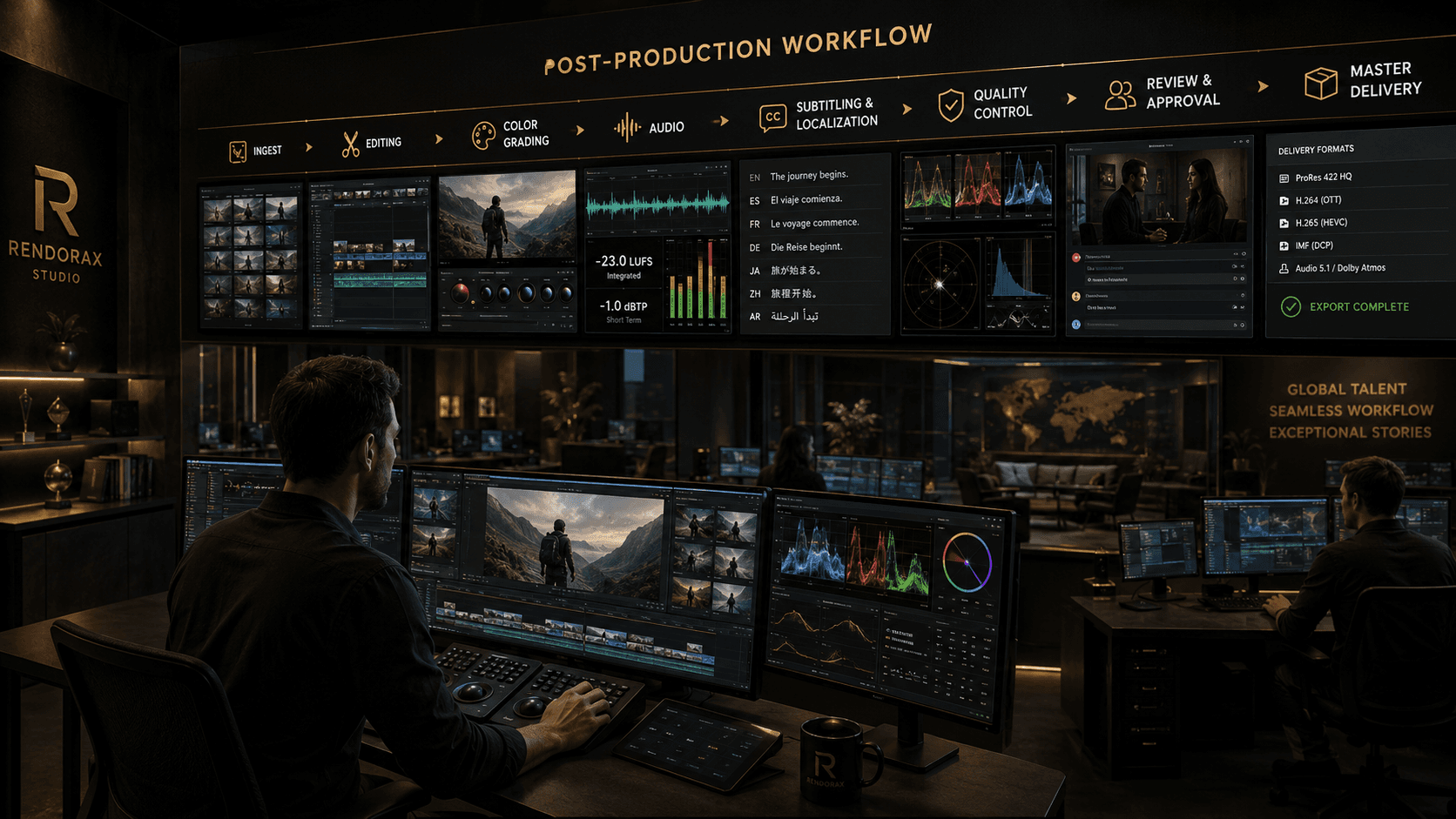
After the creative cut comes finishing: review and approval, localization, captions, quality control, version management, audio compliance, platform delivery, reframing, and master delivery. Those stages are where editorial intent becomes a safe, shippable file.
From First Cut to Final Delivery
Rendorax Studio supports production companies, agencies, broadcasters, and content teams with professional video editing, broadcast post-production, OTT finishing, localization, subtitling, quality control, review and approval workflows, and master delivery.
Discuss a projectFAQ
What are the main types of cuts in video editing?
Common cuts include standard cuts, cuts on action, jump cuts, match cuts, smash cuts, J-cuts, L-cuts, cutaways, reaction cuts, cross-cutting, montage, and invisible cuts—alongside inserts, eyeline and POV cuts, axial cuts, and conceptual joins.
What is the difference between a J-cut and an L-cut?
A J-cut introduces the next scene’s audio before its image. An L-cut lets the previous scene’s audio continue after the picture changes.
How does a jump cut affect pacing?
It compresses time and often creates urgency, restlessness, humor, or a deliberately fragmented style—when used intentionally.
When should an editor use a match cut?
Use a match cut when two shots share a clear visual, movement, sound, or conceptual relationship that advances theme or idea.
What type of cut creates suspense?
Cross-cutting, delayed eyeline reveals, J-cuts, reaction cuts, and strategic long holds all build suspense when information is withheld or pressure converges.
Does faster cutting always make a video more engaging?
No. Engagement depends on clarity, progression, emotional relevance, sound, performance, and variation in rhythm—not cut count alone.
References and Further Reading
- Adobe — Cuts in Film: Learn About Different Types of Cuts
- Adobe — Match Cut in Video Editing
- Adobe — Smash Cuts
- Adobe — The 180-Degree Rule
- PubMed Central — Movie Editing Influences Spectators’ Time Perception
- PubMed Central — The Evolution of Pace in Popular Movies
- PubMed Central — Quicker, Faster, Darker
- PubMed Central — Film Editing and Prediction Error
- Frontiers — Continuity Edits Across Shot Scales and Angles
- Frontiers — Time Perception While Watching Cinematic Content
- British Film Institute — Features and film education resources